
Skip to content
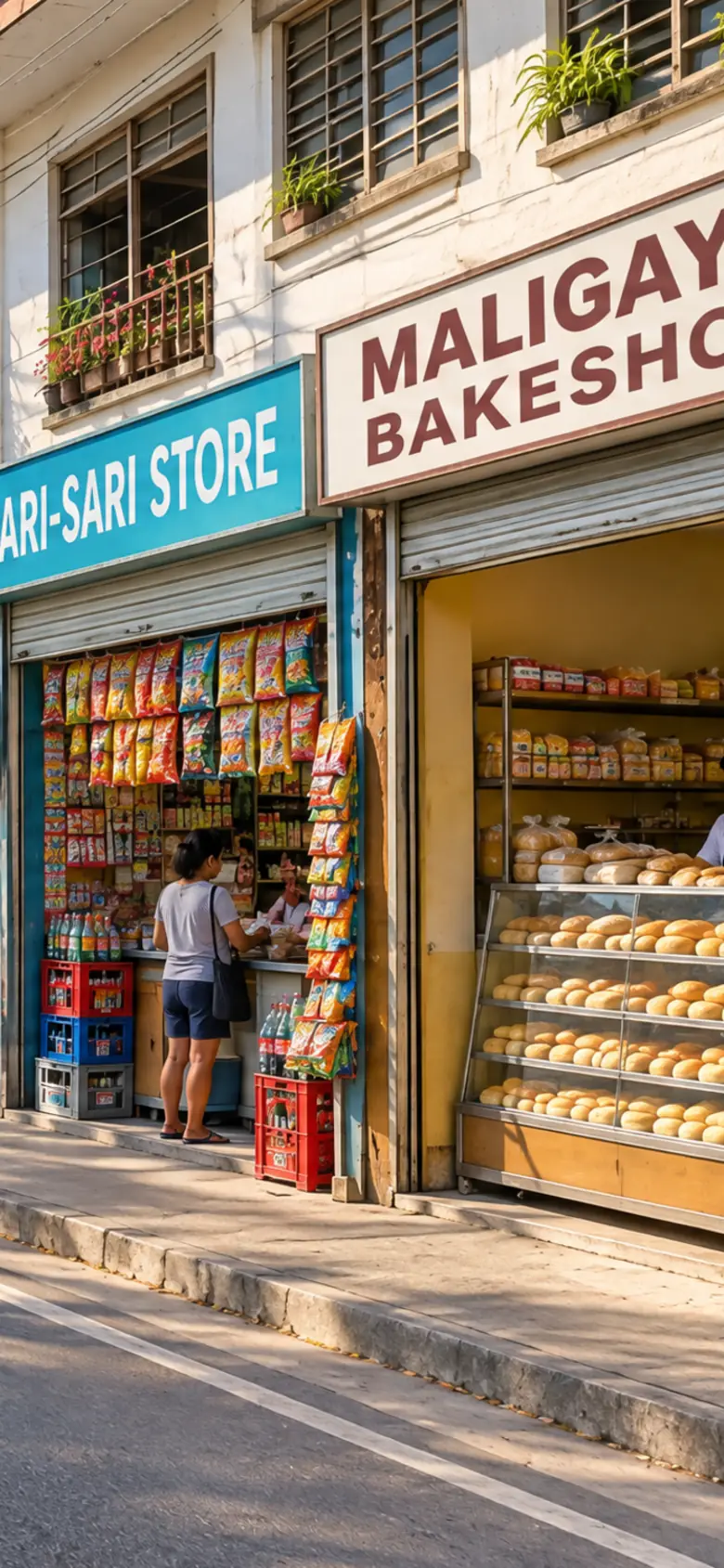
A Philippine town's main street in the morning, its shops opening for business

Illustrative street

Your Mayor’s Permit, without the queue

Apply, renew and pay for your business permit online, and follow it to release without a trip to the hall.

Find your city
LGUs live
2
Permits issued
2,688
Businesses registered
12,447

Apply once, follow it to release

Every member LGU runs the same stages. Here is a sample bakery’s permit going through them.

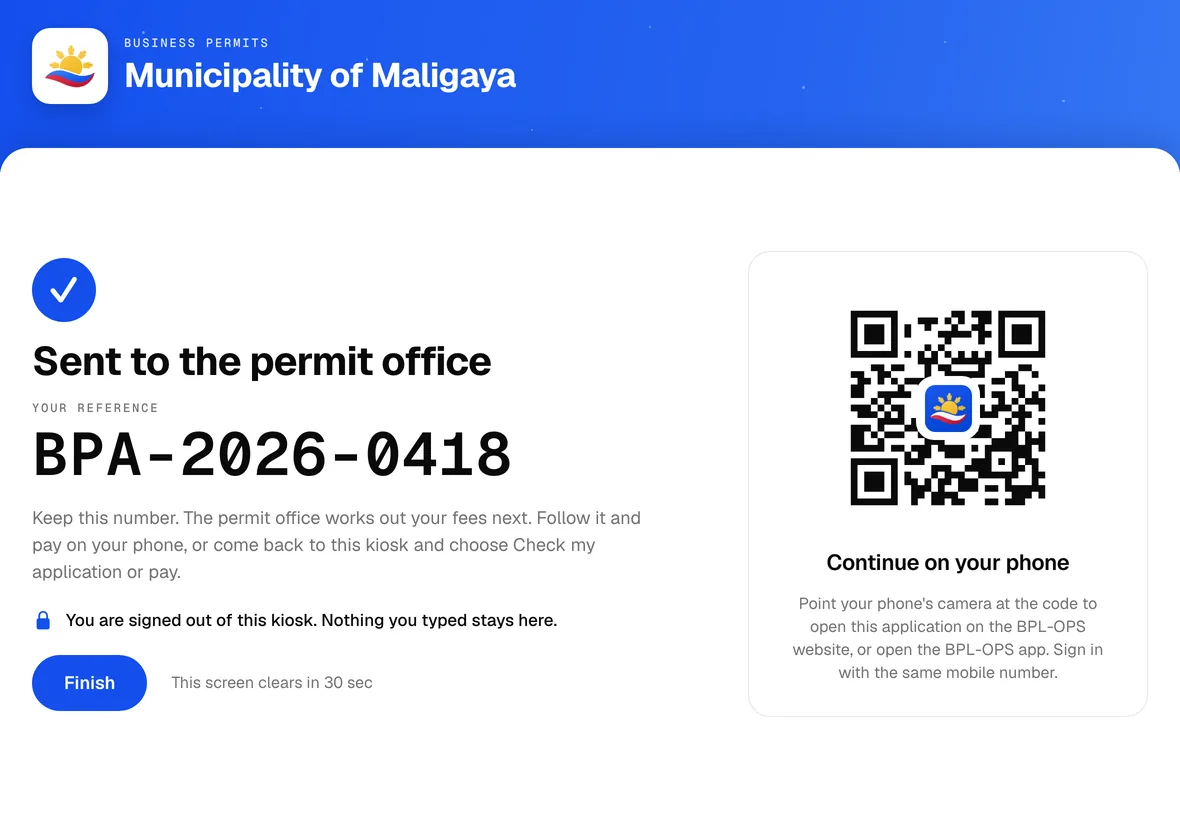
  1. Submit once

    Tell the permit office about your business from your computer, your phone or the hall’s kiosk. Save it and come back anytime.

    Application
    BPA-2026-0418
    Status
    Sent to the hall
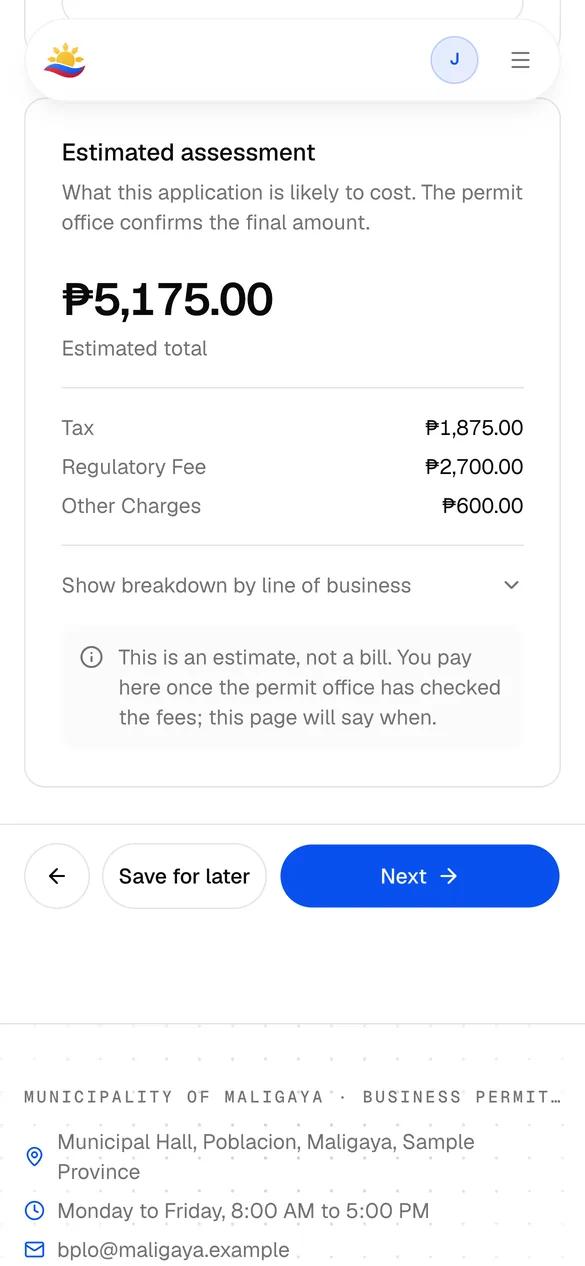
  2. Fees, worked out for you

    Your fees come from the lines of business you declare, so nobody retypes them at the counter.

    Assessment
    ₱5,175.00
    Lines of business
    Bakery, retail
  3. Every department, one form

    Sanitary, fire safety, zoning, environment and engineering each clear the same application, and you see each one as it is done.

    Clearances
    5 of 5 cleared
    Trips to each office
    None
  4. Pay on schedule

    Pay the year at once or section by section, on the schedule your LGU sets. Surcharge starts only after a section’s own due date.

    Paid
    ₱5,175.00
    Schedule
    Whole year
  5. Your permit, released

    The Mayor’s Permit is issued and numbered. Print it, or keep it on your phone.

    Permit
    BP-2026-00231
    Valid until
    December 31, 2026
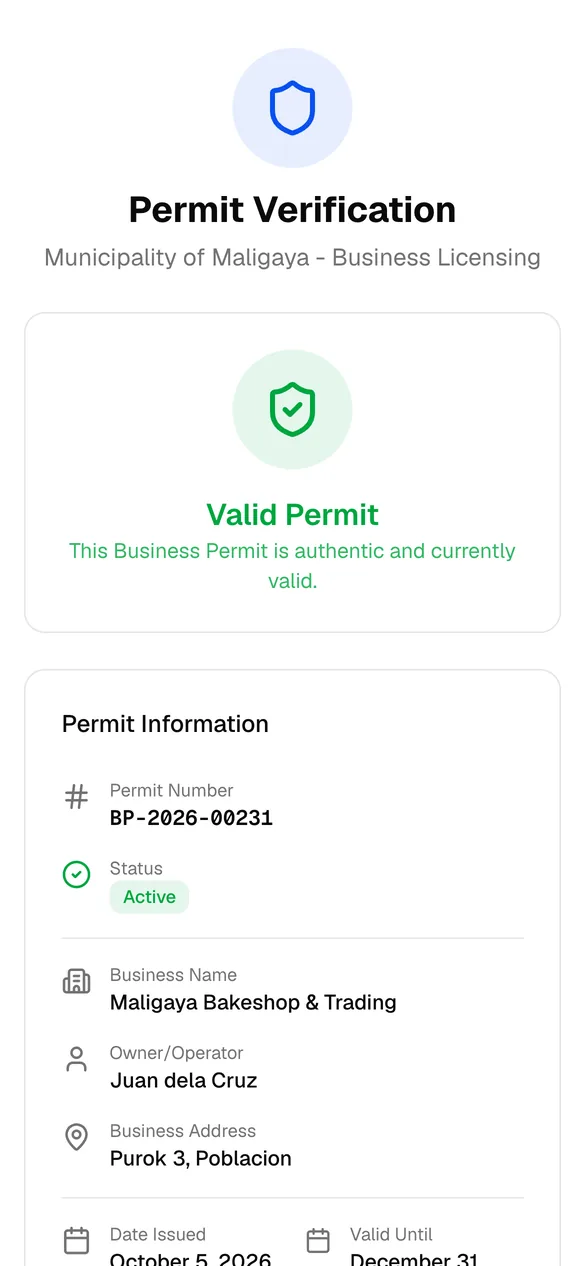
  6. Checked in seconds

    Anyone can scan the permit’s QR code to see that it is genuine and valid today.

    QR check
    Valid permit
    Issued to
    Maligaya Bakeshop & Trading

Four doors. One record.

Apply from your computer, your phone or the hall’s kiosk. The permit office sees the same application whichever door you use.

  • On your phone

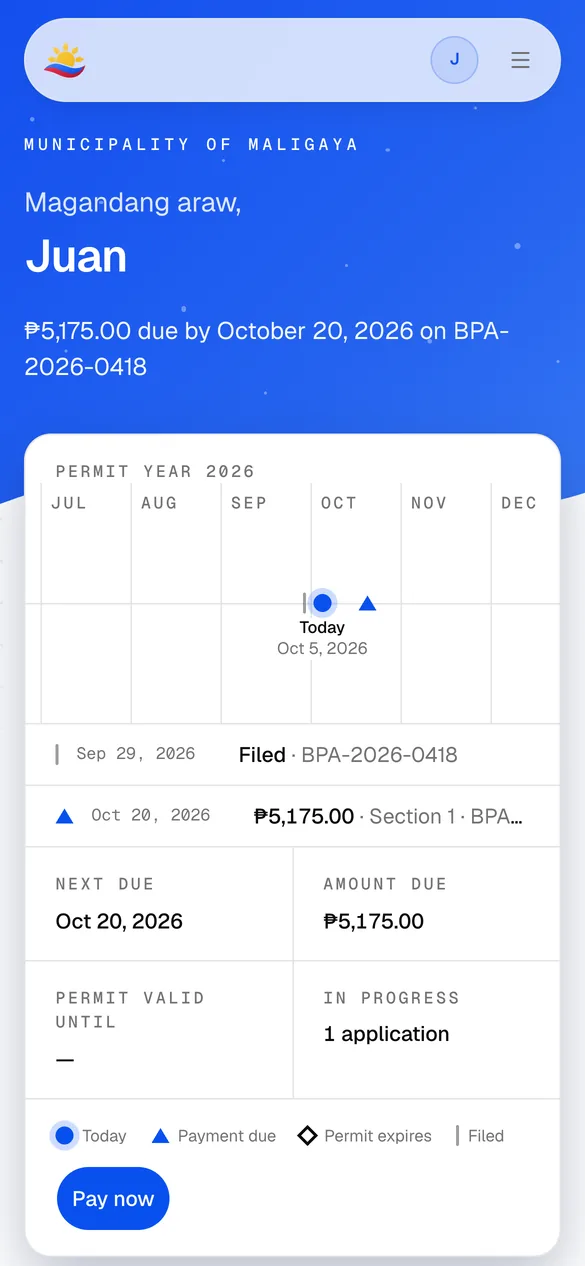
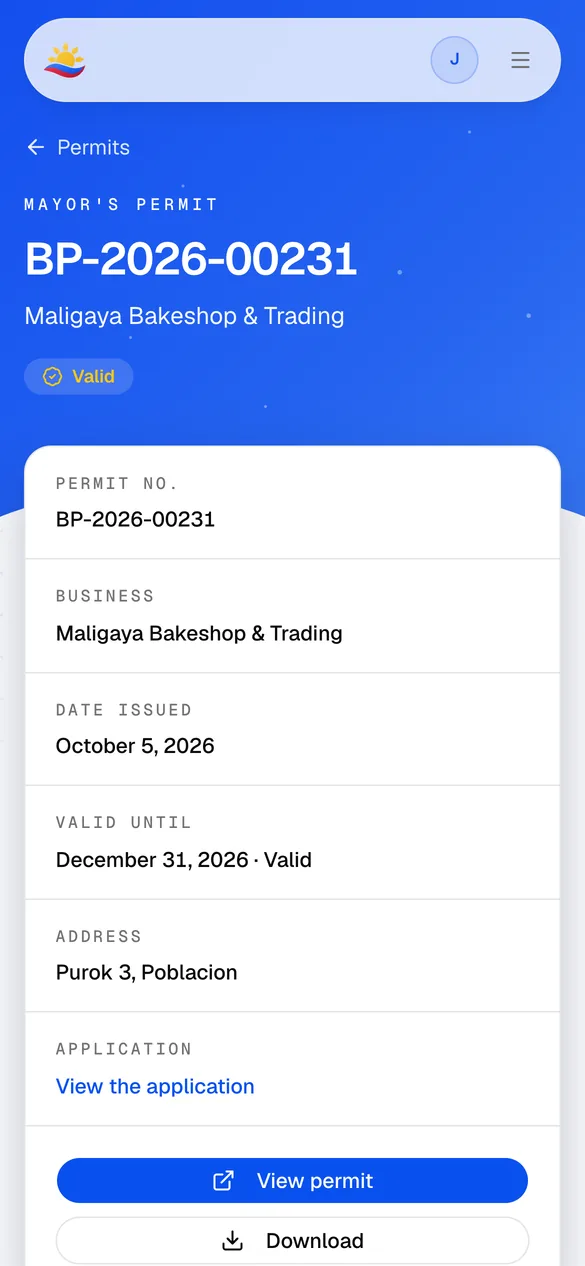
    The portal works in your phone’s browser: what is due, where your application is, and your permit’s QR code.

    The portal home on a phone: the permit year and the next payment due
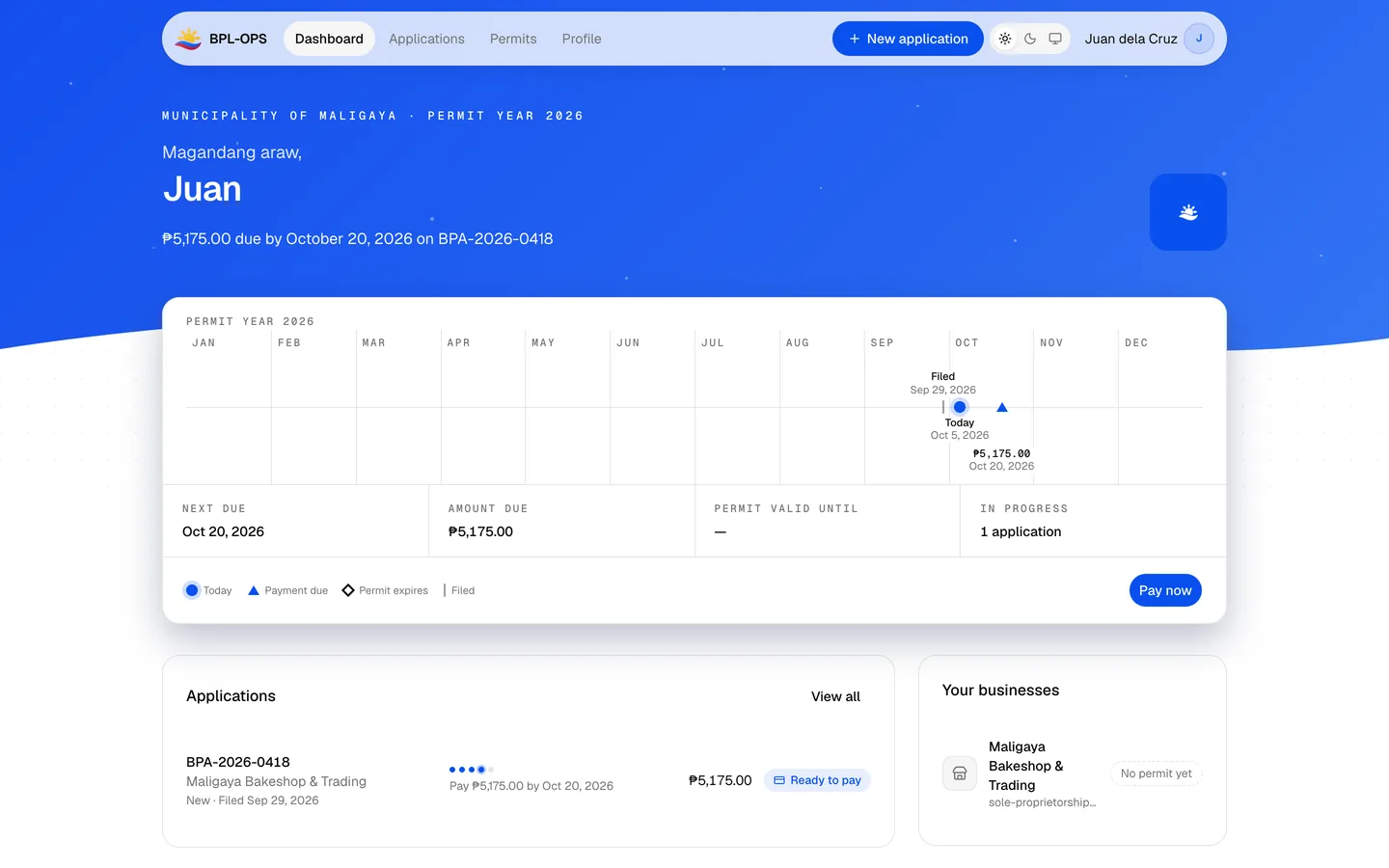
  • The owner portal

    Apply, renew, attach your papers and pay from any browser.

    The owner portal's home page, with the permit year and the next payment due
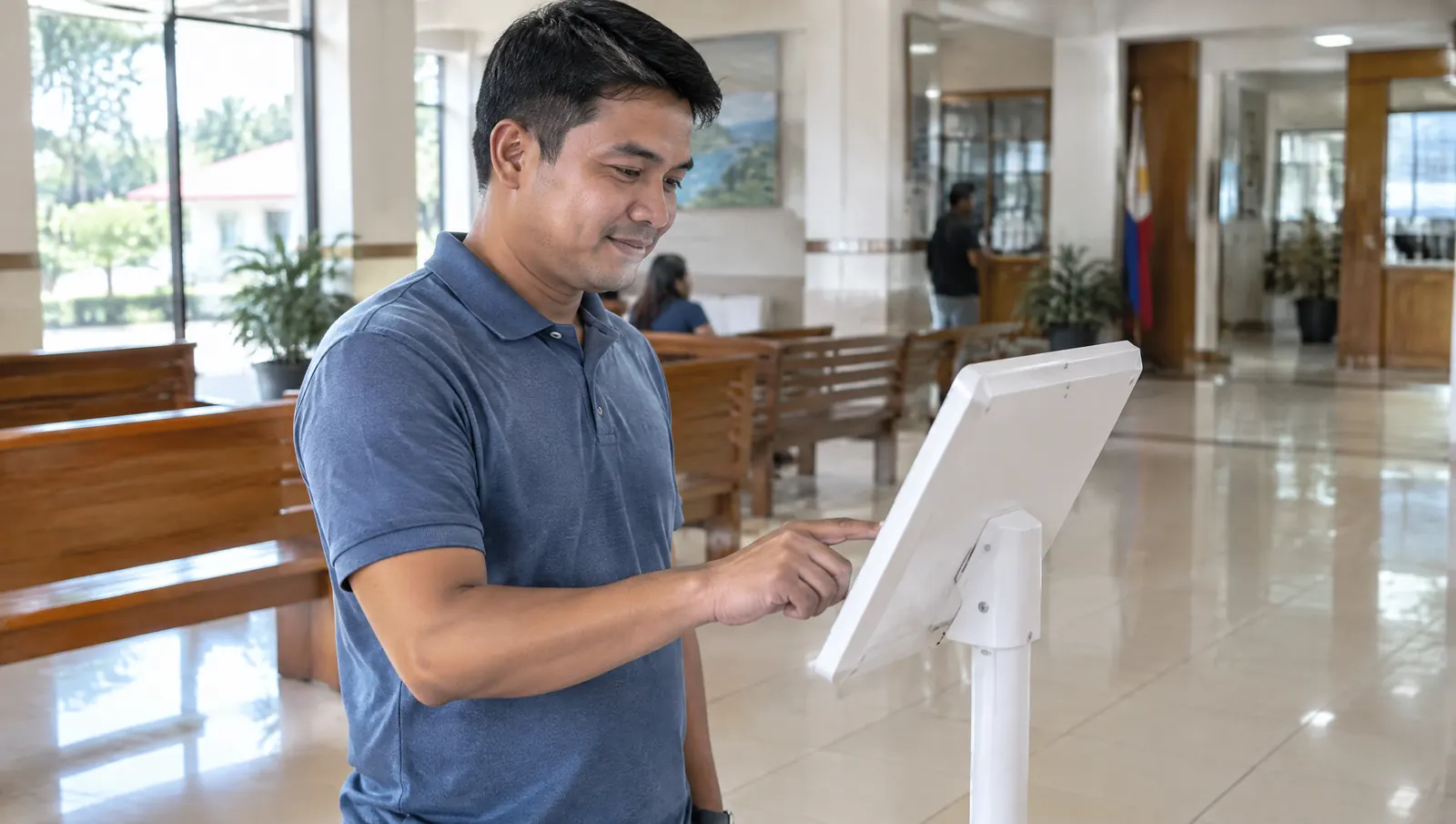
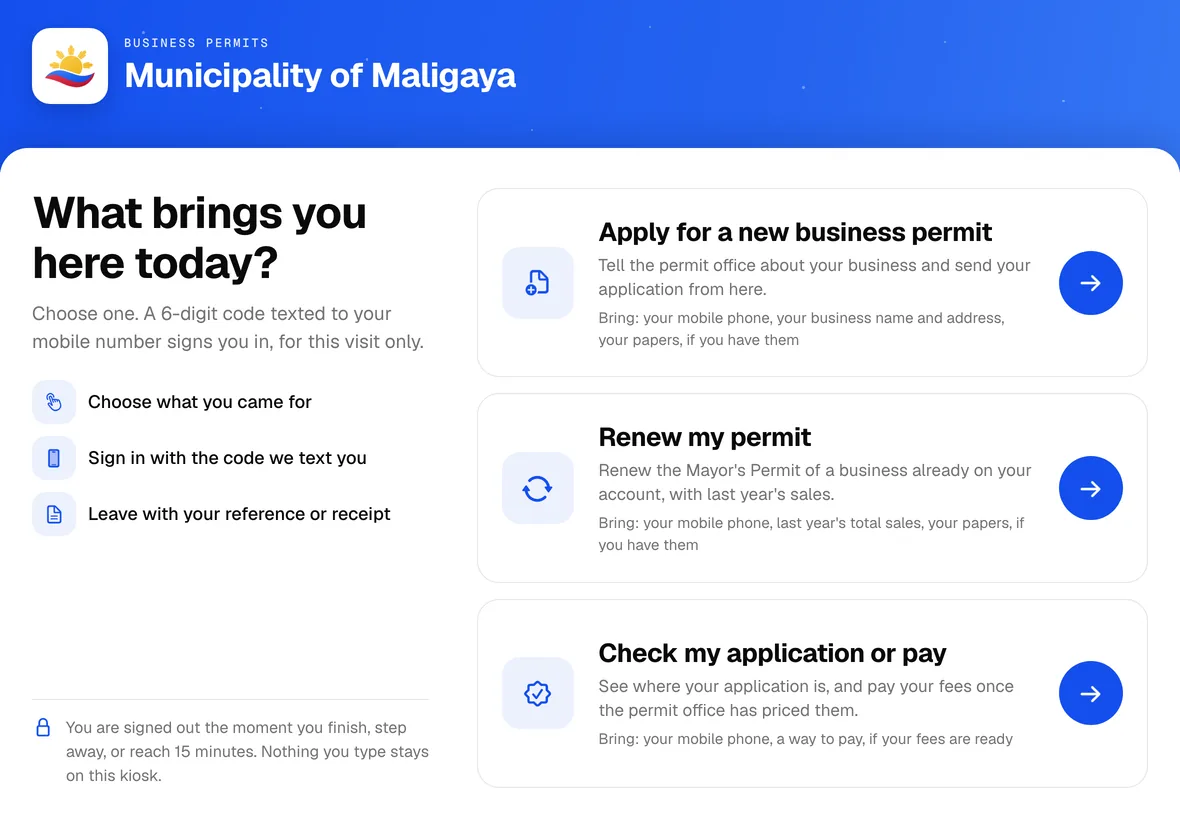
  • A man using a tablet kiosk in a municipal hall lobby

    Illustrative photo

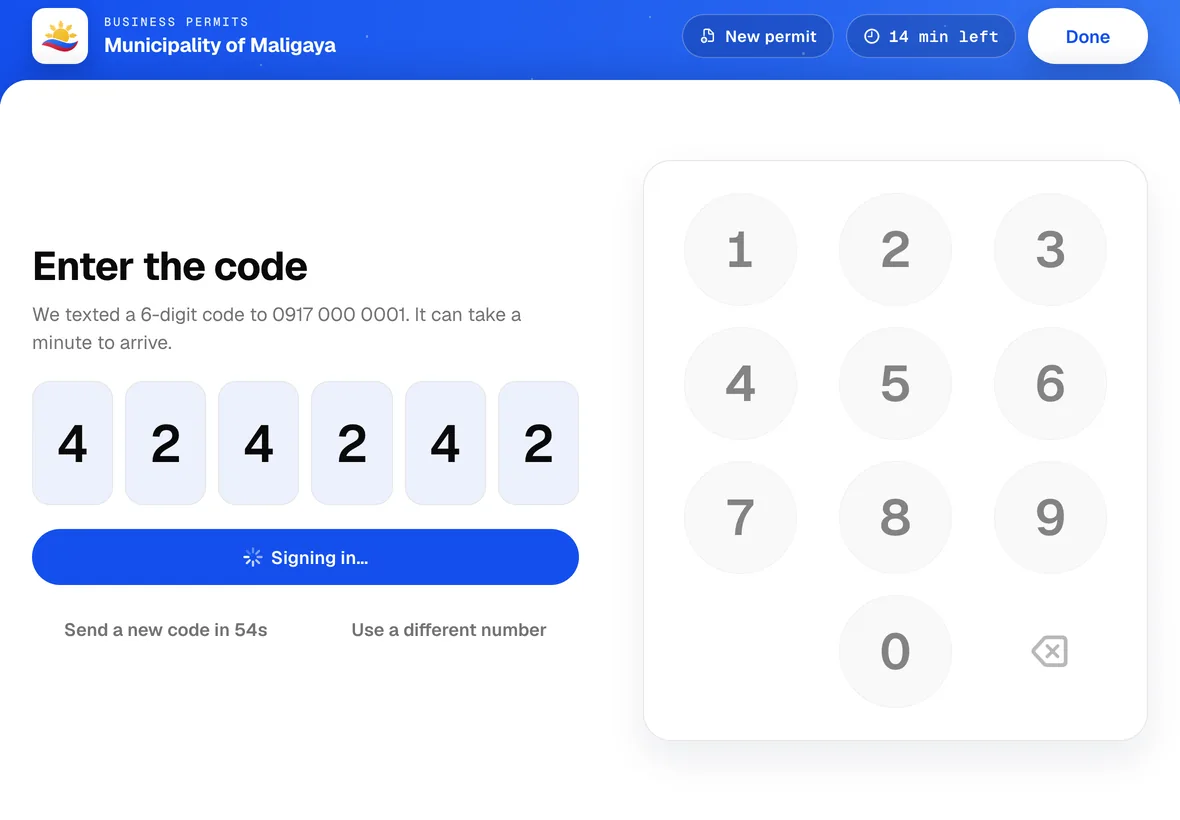
    The hall kiosk

    At the hall? Sign in with a texted code and leave with a reference number.

  • Live in 2 LGUs

    Bring your LGU
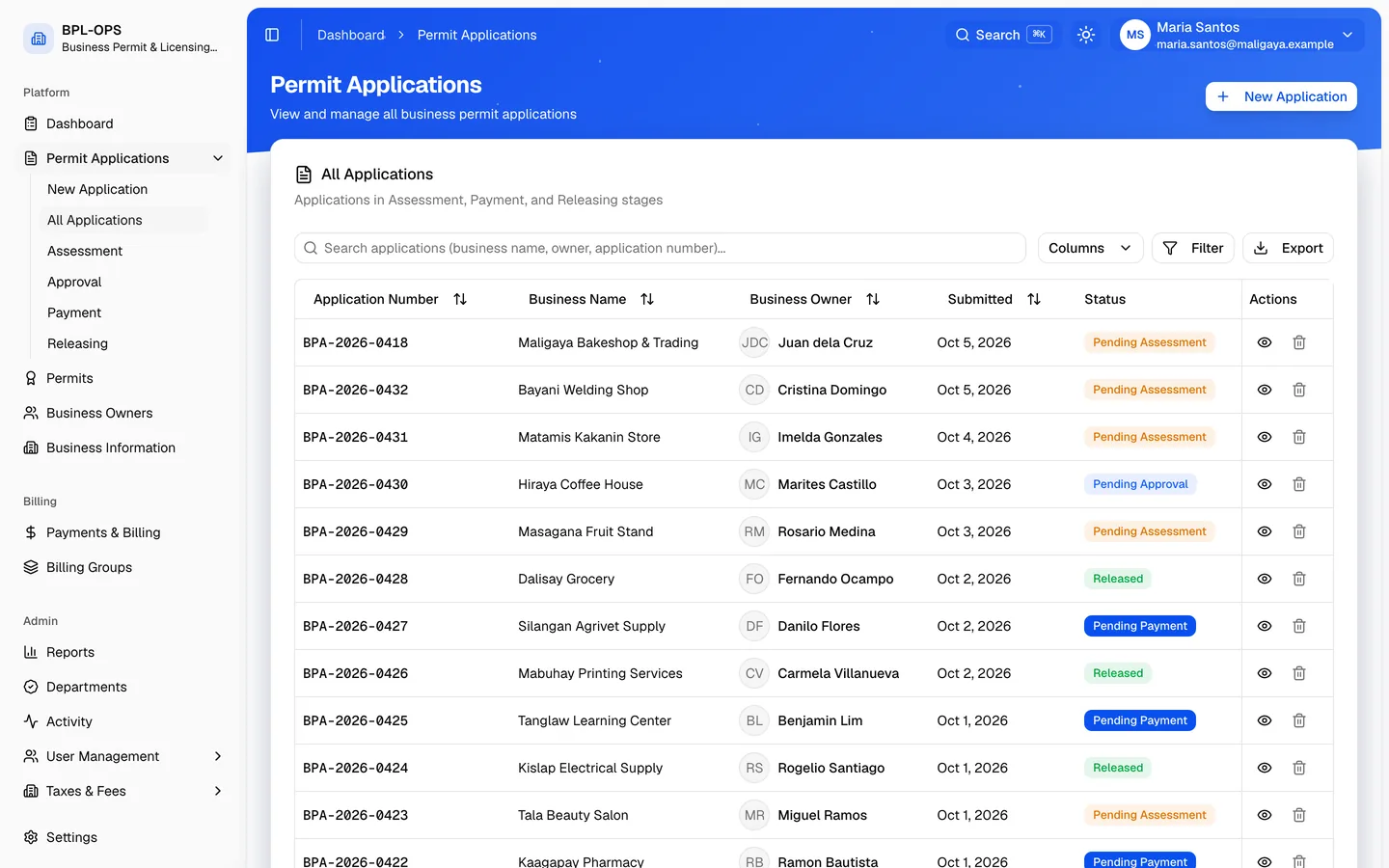
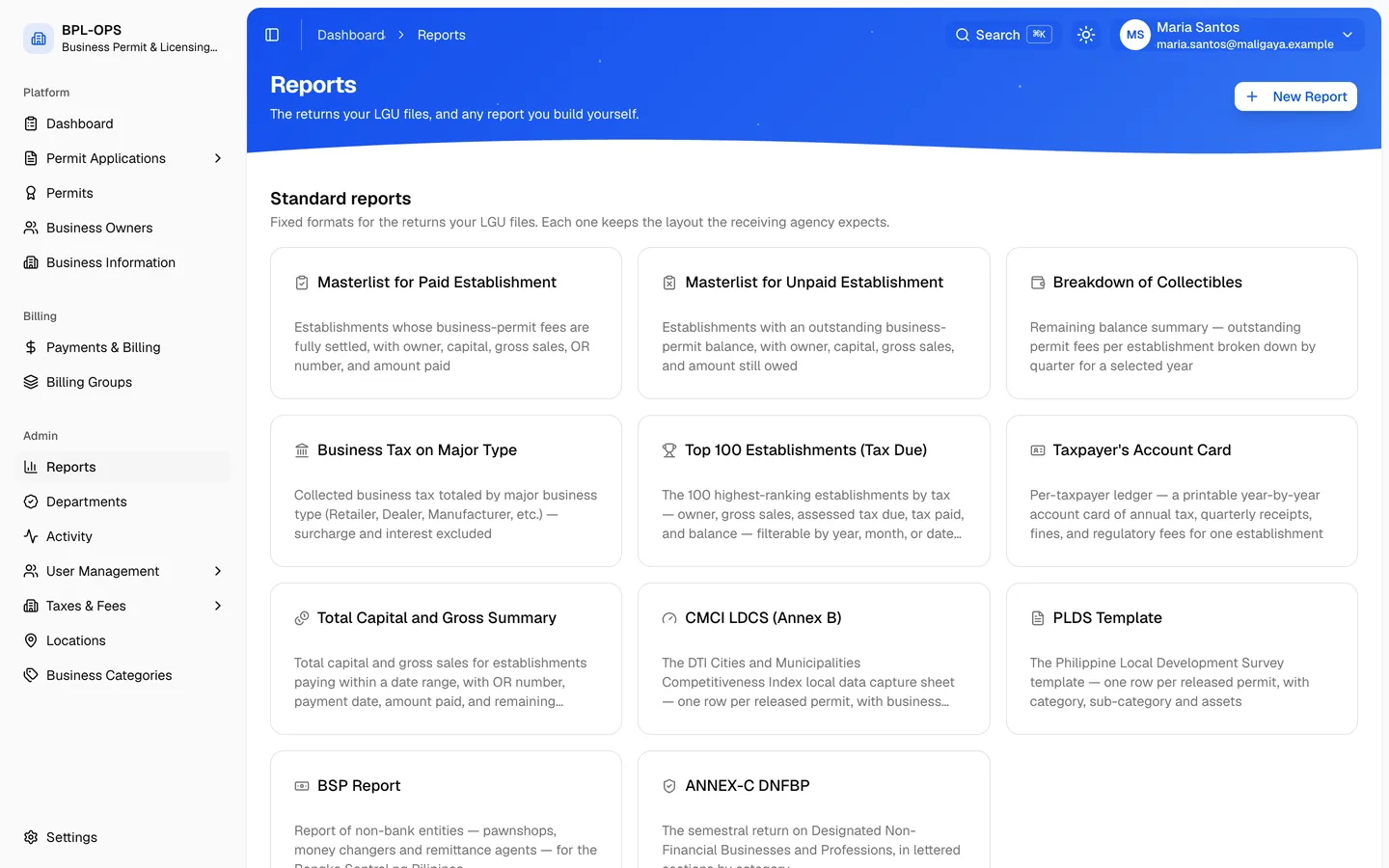
  • Your hall, on the same record

    The permit office, each department and the treasury work on your application together.

    The staff office's list of permit applications
  • Proof anyone can check

    Every released permit opens its own verification page from a QR scan.

    The permit check page saying Valid Permit

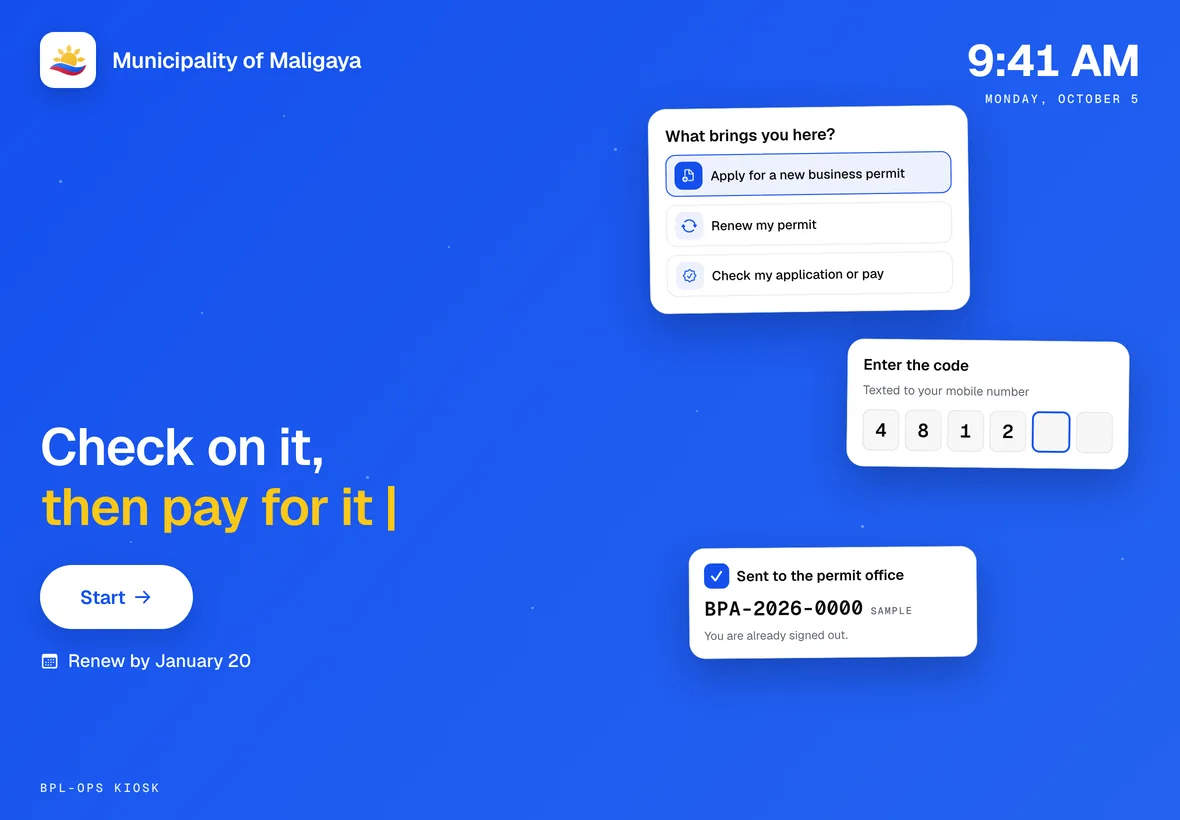
The screens are BPL-OPS itself, on sample records of a fictional municipality. The kiosk photograph is illustrative.

Every deadline, on your phone

From the first application to the QR code on your permit, the year stays in view.

The portal home on a phone, with the permit year rail and the next payment due
  1. See what’s due

    Your permit year as a rail: what you filed, what you owe and when it falls due.

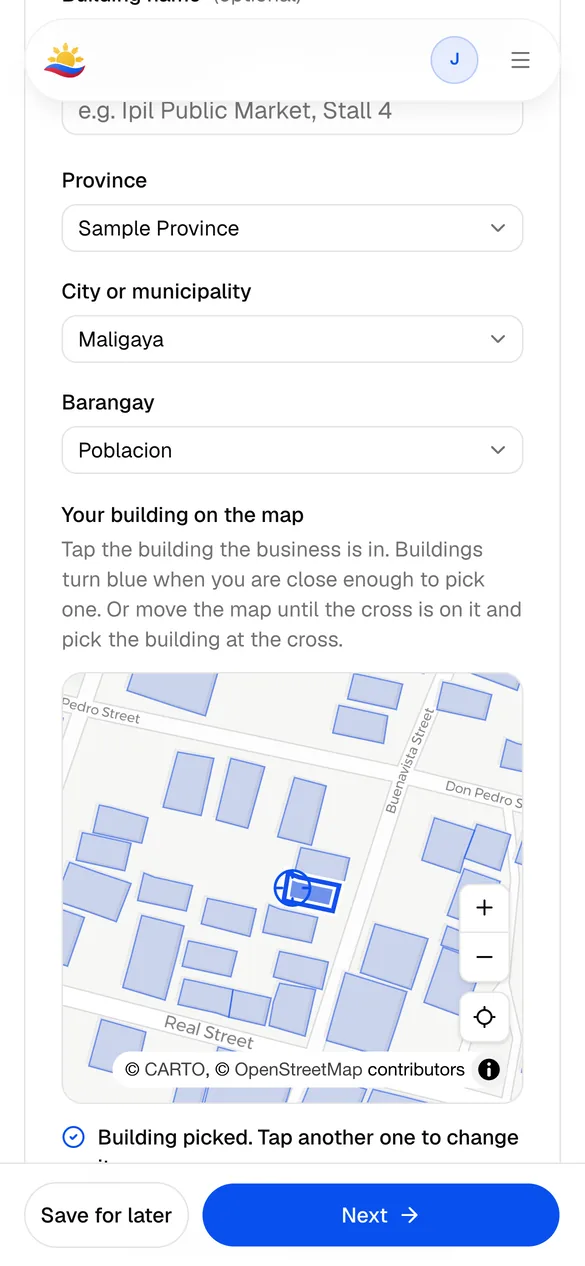
  2. Point to your building

    Pick the building on the map, so the permit office knows exactly where you are.

  3. Know the fees before you send

    See the estimated assessment, line by line, before the application goes to the hall.

  4. Follow every stage

    Draft, assessment, approval, payment and release, each with its date.

  5. Carry your permit

    Your Mayor’s Permit, with the QR code that proves it.

  6. Anyone can check it

    A scan opens the permit office’s own page: genuine, and valid today.

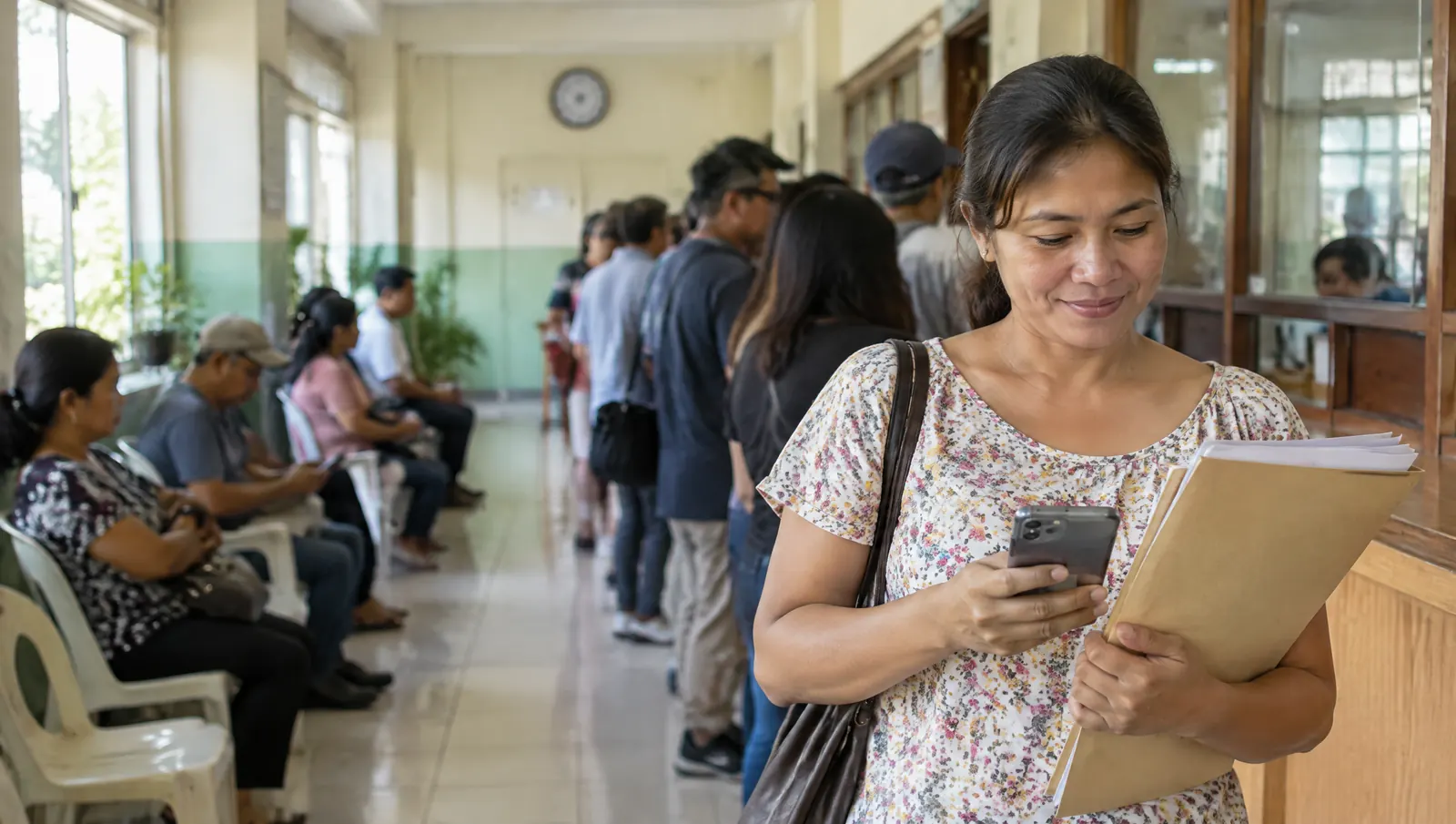
A business owner with her papers in the line at the municipal hall, smiling at her phone
Illustrative photo

Less waiting. More business.

  1. The line at the hall used to start before the doors opened.
  2. Now an owner sends the application from home, in four short steps.
  3. The fees work themselves out from what the owner declares.
  4. Every department clears the same record, without a folder changing hands.
  5. The permit comes back with a QR code anyone can check.
Watch the film

38 seconds. Every screen in it is BPL-OPS itself, on sample records. The phone app it shows is not out yet.

Find your city

Choose your city or municipality

Every member LGU runs its own register on BPL-OPS. Pick yours to reach its portal, or let your phone find the nearest one.

Questions, answered

Something else on your mind? Write to us at the address below. hello@zentech.ph

  • What is BPL-OPS?

    BPL-OPS is the business permit and licensing system Philippine cities and municipalities use to take Mayor’s Permit applications and renewals online, assess the fees, clear each department, collect payments and release the permit.

  • Is my city or municipality on BPL-OPS?

    Search for it at the top of this page or find it on the map. Each member LGU runs its own register, so you apply to your own permit office.

  • Do I still have to go to the municipal hall?

    Not to apply, renew or check your application. If the permit office needs a paper from you, your application page says so. Halls with a BPL-OPS kiosk also take walk-ins in the lobby.

  • How are my fees computed?

    From what you declare. Your LGU sets the fee for each line of business as a fixed amount, a bracket or a formula, and BPL-OPS applies it to your figures, such as your capital or last year’s sales. The permit office confirms the amount before you pay.

  • How do I pay?

    Once the permit office has priced your application, pay from your application page on the schedule your LGU sets, the whole year at once or section by section.

  • How can someone check that my permit is real?

    Every released permit carries a QR code. Scanning it opens your permit office’s own page, which says whether the permit is genuine and valid today.

  • How does our LGU get BPL-OPS?

    Write to hello@zentech.ph. BPL-OPS is made by Zentech Inc., the team behind BarangayOS, and each LGU gets its own register, fee schedule, departments and branding.

Built for every LGU

Cities and municipalities are bringing their permit offices online. Find yours and start your application.

Your city is not on BPL-OPS yet? Tell your municipal hall about us.